
Blog: Image Editing
Professional Image Editing in Photography: From the Shoot to the Final Image
Professional photography doesn't end when you press the shutter button. A crucial part of the photographic process begins only after the shoot: the selection, development, and professional editing of the images captured. It is only through careful post-processing that an already good shot is transformed into a cohesive, high-quality final result.
For my image editing, I mainly use Adobe Lightroom Classic and Adobe Photoshop. The goal isn’t to make the images look artificial or to alter them drastically. Rather, I carefully optimize colors, contrast, exposure, and details so that the photos look natural, high-quality, and consistent throughout an entire series.
Consistent editing is crucial, especially in business, event, and corporate photography. The individual photos should not stand alone, but rather come together to form a cohesive visual narrative.
Selecting Images as the First Step
After a photo shoot, there are often far more photos than are actually needed later on. That’s why post-production begins with what’s known as “culling”—the professional selection of the captured images.
Factors such as sharpness, composition, expressiveness, perspective, lighting, and potential duplicates are taken into account. Technically or artistically weaker shots are discarded, and similar scenes are narrowed down to the strongest versions.
The goal is not to deliver as many photos as possible, but to put together a high-quality selection that reflects the shoot as fully and diversely as possible.
Easy Image Selection with Moodcase.io
I use Moodcase.io to present and select the images. The shortlist is made available to the client via a well-organized online gallery. This allows the client to view the photos directly in the browser and easily select the desired images.
This workflow simplifies the entire selection process, especially for larger photo shoots. Instead of exchanging image numbers via email, Excel lists, or screenshots, you can mark favorites directly within the gallery and add comments as well.
This gives the customer a quick overview of all relevant image material and allows them to make their selection regardless of location or device. At the same time, it prevents misunderstandings regarding image numbers and allows the subsequent processing to begin more efficiently.
RAW Processing in Adobe Lightroom Classic
Once the selection is made, the actual image processing begins. Photos are taken in RAW format, which preserves significantly more image information than a JPEG that has already been processed by the camera. This allows for much more precise control over exposure, white balance, tonal range, and colors during post-processing.
Basic RAW processing is done in Lightroom. This includes, among other things, adjusting exposure, contrast, highlights, and shadows, as well as fine-tuning white balance and color reproduction.
Depending on the shot, the editing process may also include lens corrections, perspective adjustments, local masking, noise reduction, and image sharpness optimization.
Color consistency throughout an entire series of images is particularly important. Different light sources—such as natural light, artificial light, or varying shooting conditions—can result in different color temperatures. These differences are deliberately corrected during post-processing to ensure a harmonious and consistent visual style in the final images.
Detail Retouching in Adobe Photoshop
Not every editing task can be completed entirely in Lightroom. That's why Photoshop is used for more complex retouching and targeted detail corrections.
Depending on the image, you can, for example, remove distracting elements, subtly retouch skin tones, clean up backgrounds, or make precise adjustments to individual areas of the image. Techniques such as layers, masks, selective corrections, and frequency separation enable controlled and non-destructive editing.
Natural retouching is especially important in portraits. Minor skin imperfections or temporary blemishes can be reduced while preserving skin texture, facial features, and individual characteristics.
The goal of professional retouching is not to make the editing obvious. The finished image should look more polished and refined, while still remaining believable and authentic.
Naturalness Instead of Excessive Editing
Extensive image editing does not automatically mean that the editing is visible. In professional photography in particular, restraint is often crucial.
Excessive skin smoothing, unnatural colors, exaggerated contrasts, or overly intense sharpening can quickly make an image look artificial. Professional editing, therefore, enhances the original photo rather than completely altering it.
Colors should remain realistic, skin tones should look natural, and lighting conditions should be reproduced as closely as possible to how they were perceived on location. At the same time, contrasts, tonal values, and color nuances can be used strategically to enhance the desired visual effect.
From the photo shoot to the finished image
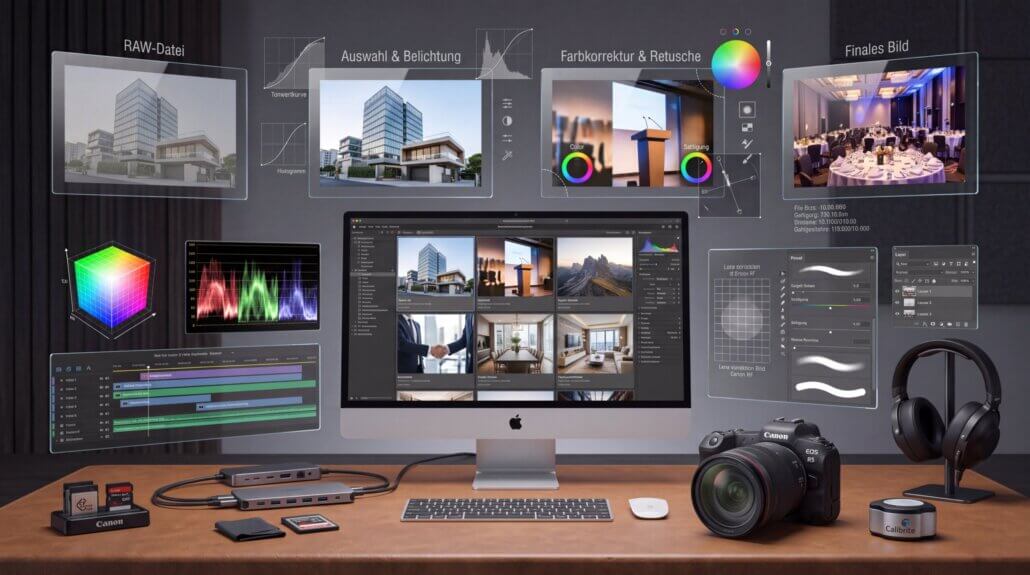
Professional photography, therefore, involves more than just the actual shoot. From the initial selection through RAW processing in Lightroom to detailed retouching in Photoshop, every final image goes through several steps.
The end result is not a collection of unedited individual shots, but a carefully curated and professionally edited series of images with a consistent visual style. It is precisely this combination of photographic capture, technical image processing, and natural retouching that ensures the images can be used professionally over the long term.
Custom Image Editing and Personal Style
However, how a series of images is ultimately edited always depends on the client’s wishes and vision. Depending on the company, brand, intended use, or existing corporate design, image editing can therefore be customized. This ranges from very natural and subtle editing to a look with higher contrast or sharper definition.It’s important to keep in mind that image editing is, to a certain extent, always a matter of taste. Colors, contrasts, brightness, and the overall tone of an image can be perceived and preferred differently by different people.
Over time, every photographer develops their own editing style and unique visual language. That is precisely what makes photography so special. There is no single “right” look that works for every company, every shot, and every photographer.
What matters most is that the photographic style, image editing, and the client’s vision all align. That’s why the editing process can be tailored to each project individually, so that the final result is a visual style that is both professional and authentically suited to the respective company.


 English
  German